Compare the two engines
The display places both engines side by side so you can see how each set of indications responds to a change on one side.
Explore twin-engine controls in your browser and compare the simulated instrument indications and system diagrams as inputs change.
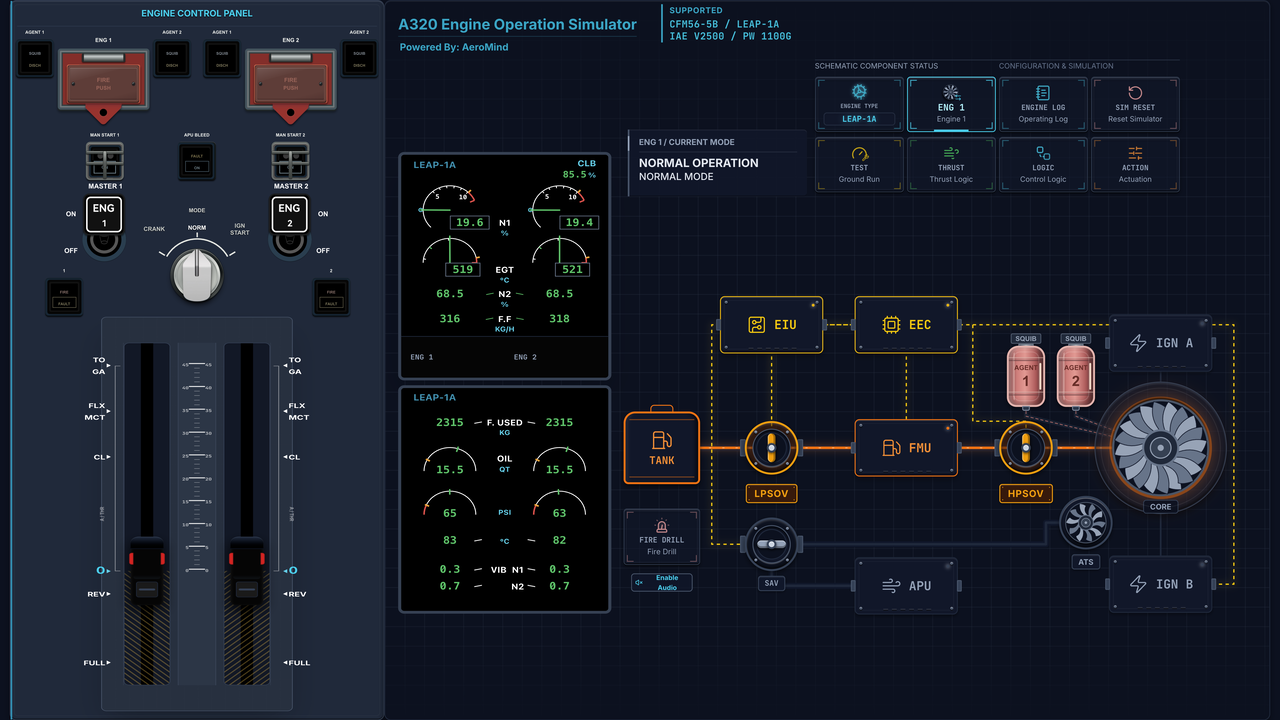
The display places both engines side by side so you can see how each set of indications responds to a change on one side.
Watch simulated spool speed, exhaust gas temperature and fuel flow while the adjacent diagram shows component states.
The product supports CFM56-5B, LEAP-1A, IAE V2500 and PW1100G. Visit the app page for screenshots and store links.
Change the simulated thrust input on one side and compare the indications. Turn a phone sideways for more room to operate.